Mega menus
Updated Oct 27, 2026 · 1 min read
Five mega menu layouts built from your Shopify navigation, with promotions and a highlighted link.
Add a mega menu
Add a Mega menu block to the header and type the heading of a top-level menu item that has child links in Menu item. The heading must match the menu item exactly.
Layouts
- Link columns: Two menu levels. Child links in columns.
- Image columns: Child links that point to collections. Each collection’s image above its links.
- Tabbed: Three menu levels. Second-level items as tabs, the third level inside.
- Featured products: A product collection. Its products beside the links.
- Sub-menu columns: Three menu levels. Second-level headings with third-level links under each.
Image columns
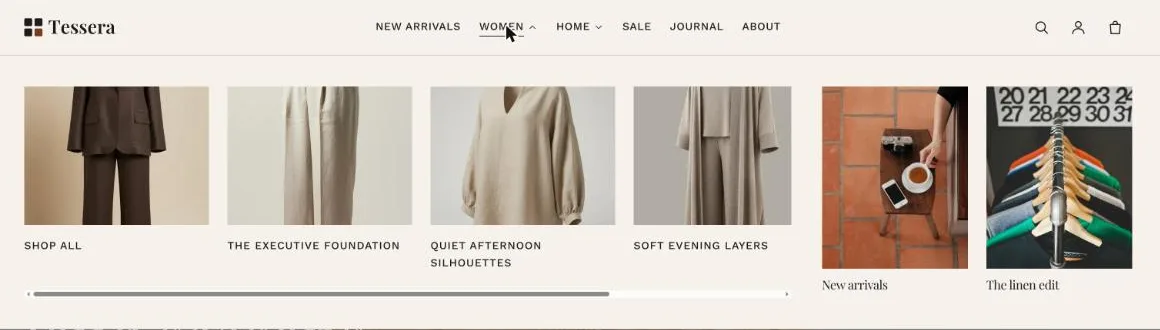
Image columns with two promotions (Tesserae).
Featured products
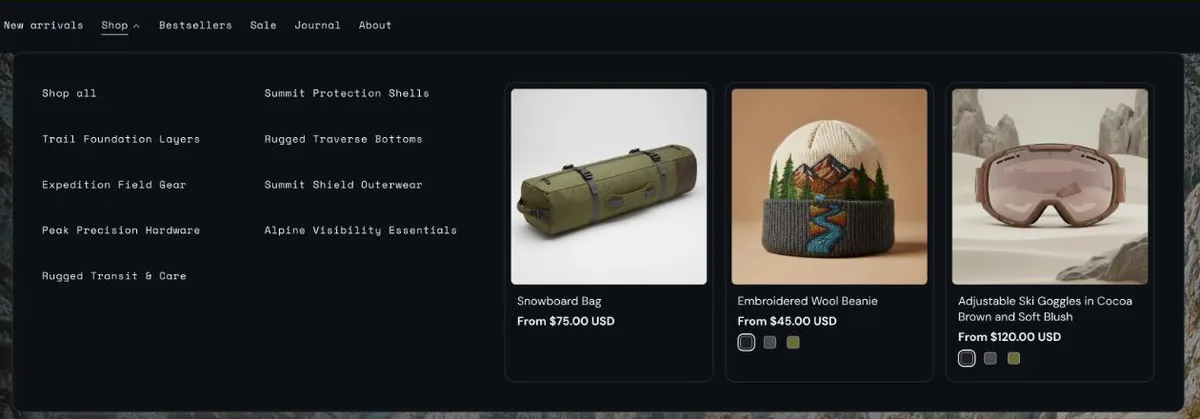
Featured products (Cairn).
Tabbed
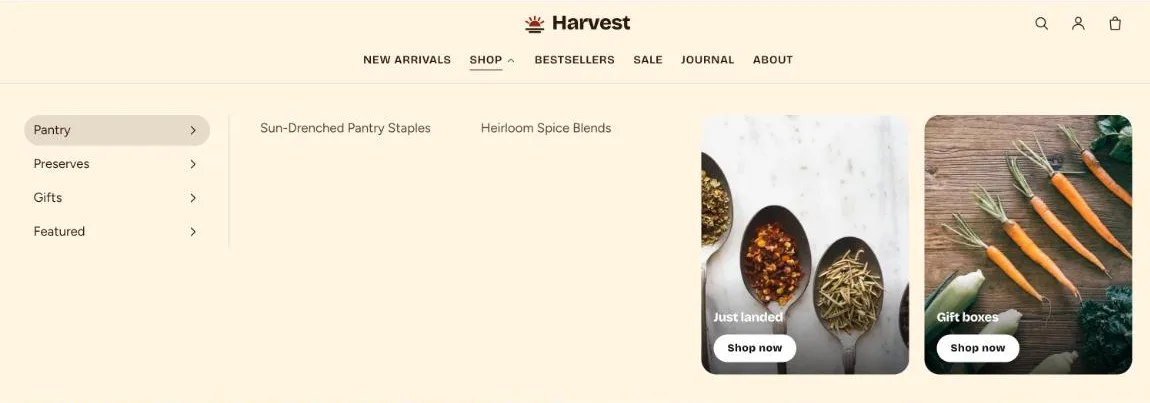
Tabbed, with promotion text overlays (Harvest).
Link columns
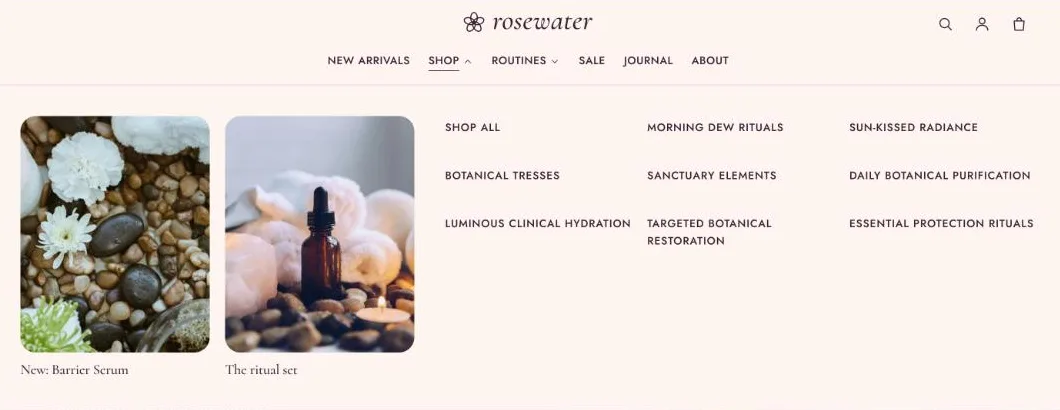
Link columns with promotions placed first (Rosewater).
Sub-menu columns
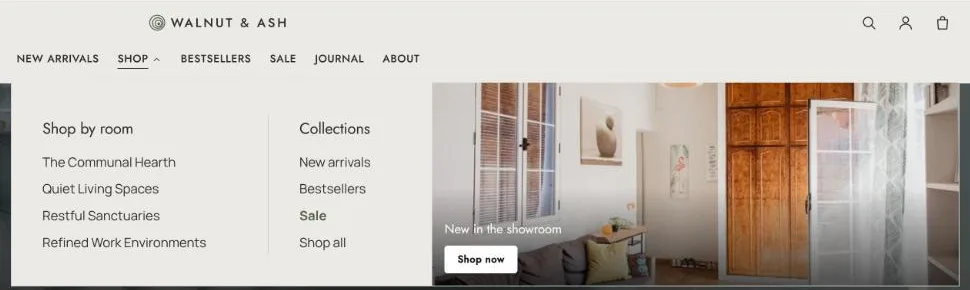
Sub-menu columns at content width, with a highlighted link (Walnut).
Promotions and highlights
Each mega menu can carry up to three promotions (image, heading, link and optional button label), a Highlighted link shown in the accent colour such as Sale, and a Panel width of Full width or Content width.
Was this article helpful?
Related articles
Still need help?
Contact support